Reset Your Android Upload Key
Last updated: May 29, 2026
If you are switching over from another platform to FUEGO, one of the key steps in the process is to reset your Android upload key. In this article, we will walk you through the steps to accomplish that via Google Play Console.
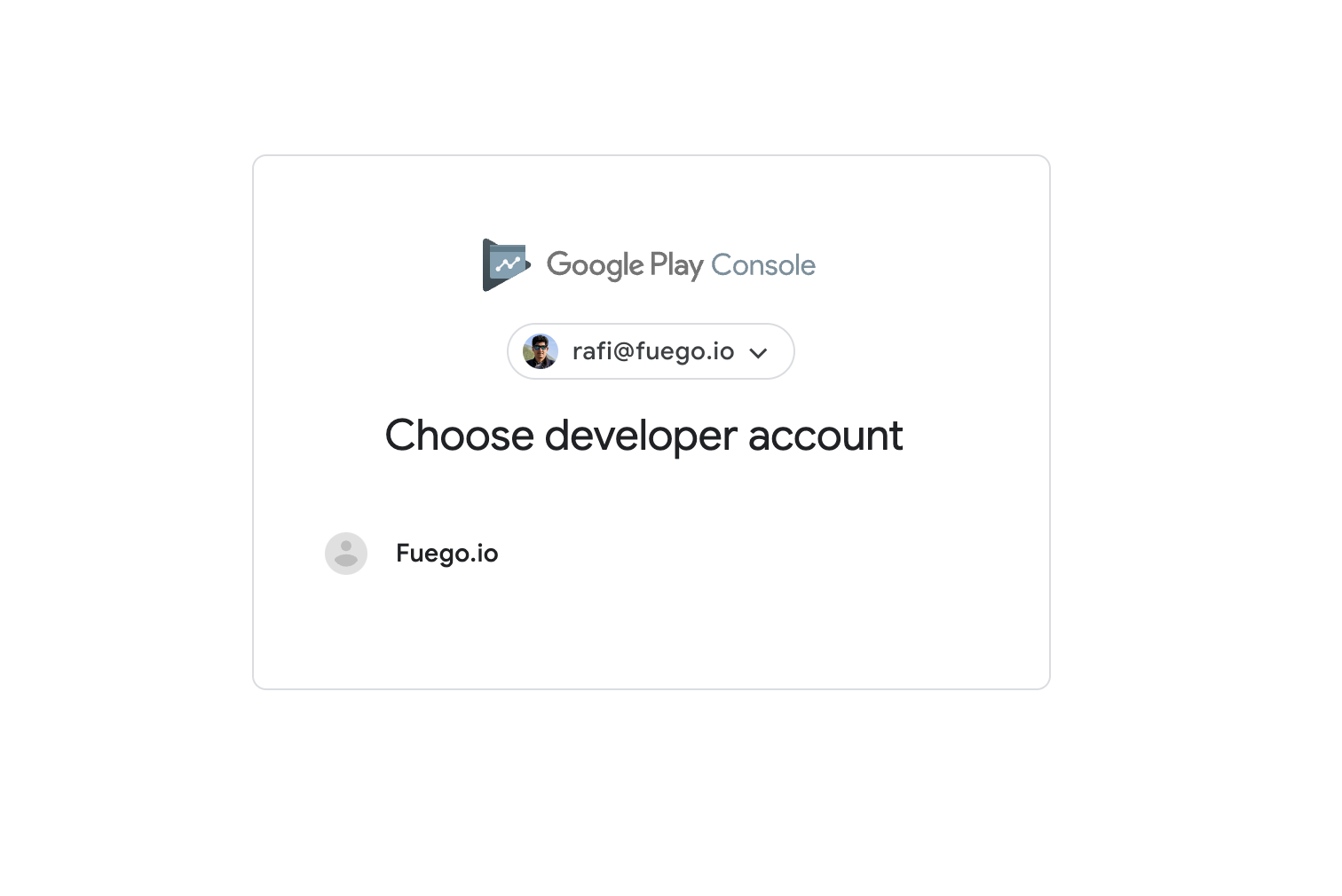
Step 1: Please visit https://play.google.com/console and sign-in to your Google Play Console.
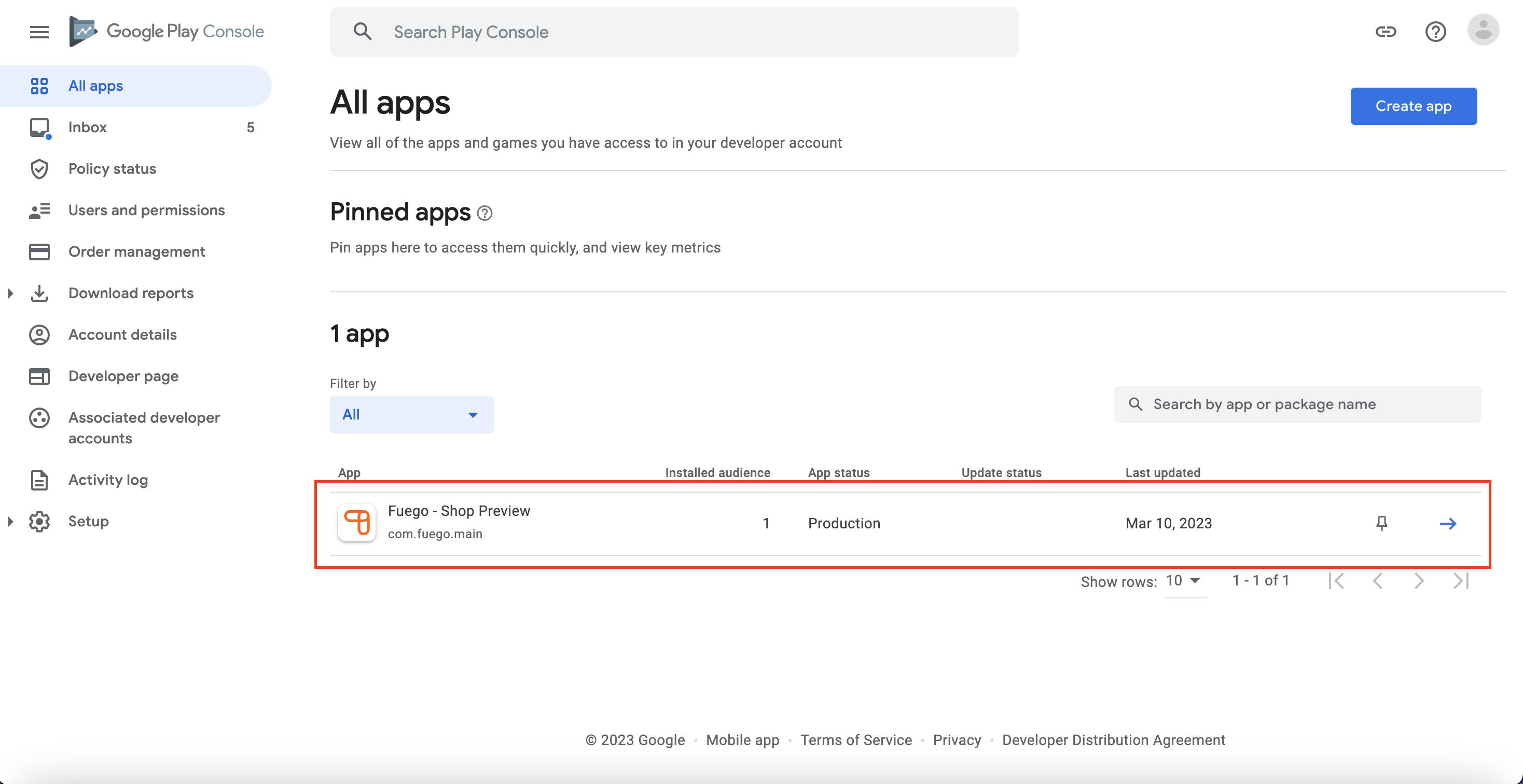
Step 2: Select your app.
Step 3: Please select "Protected with Play" on the left and then select Play Store Protection.
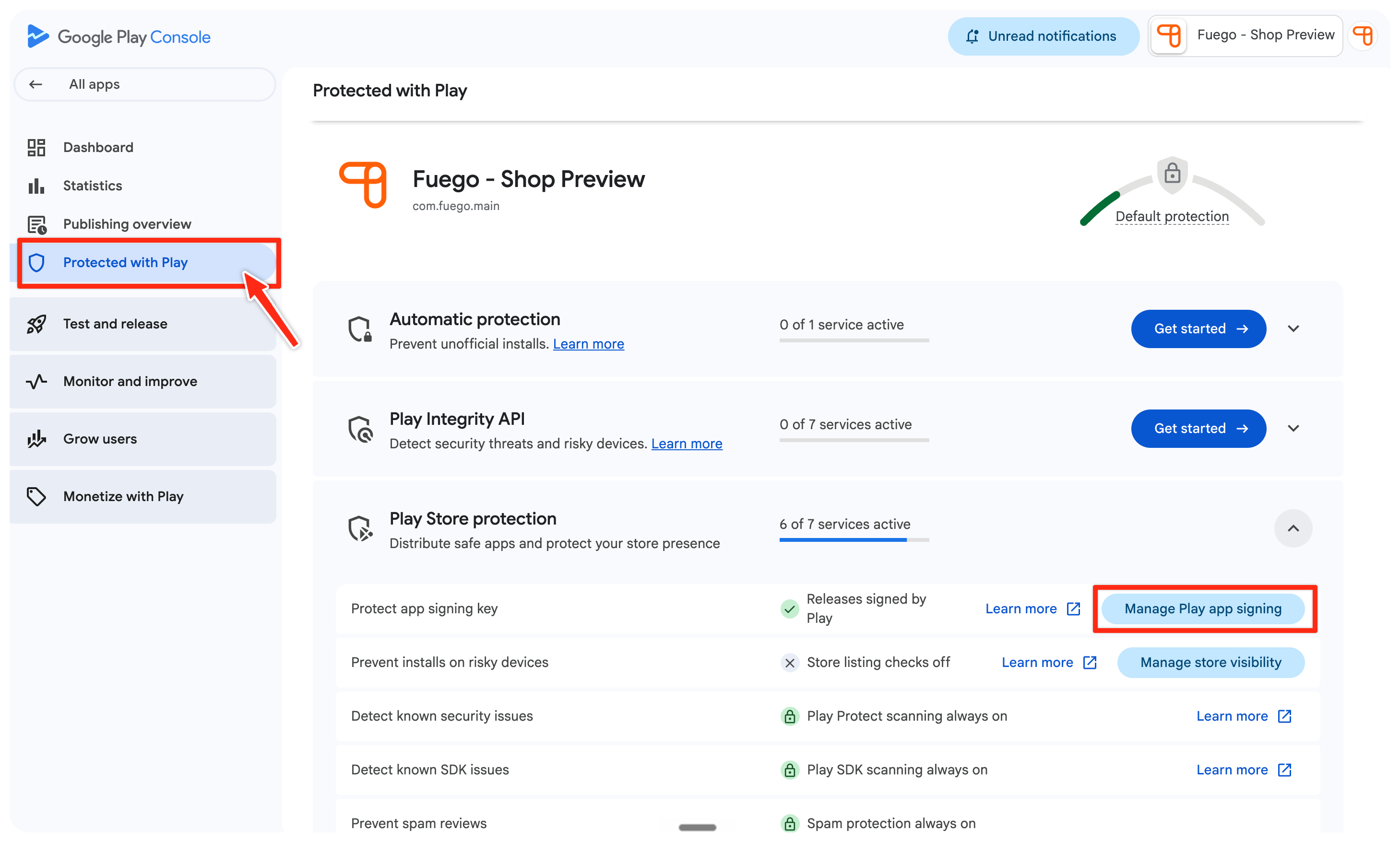
Step 4: Then, please click on "Manage Play app signing".
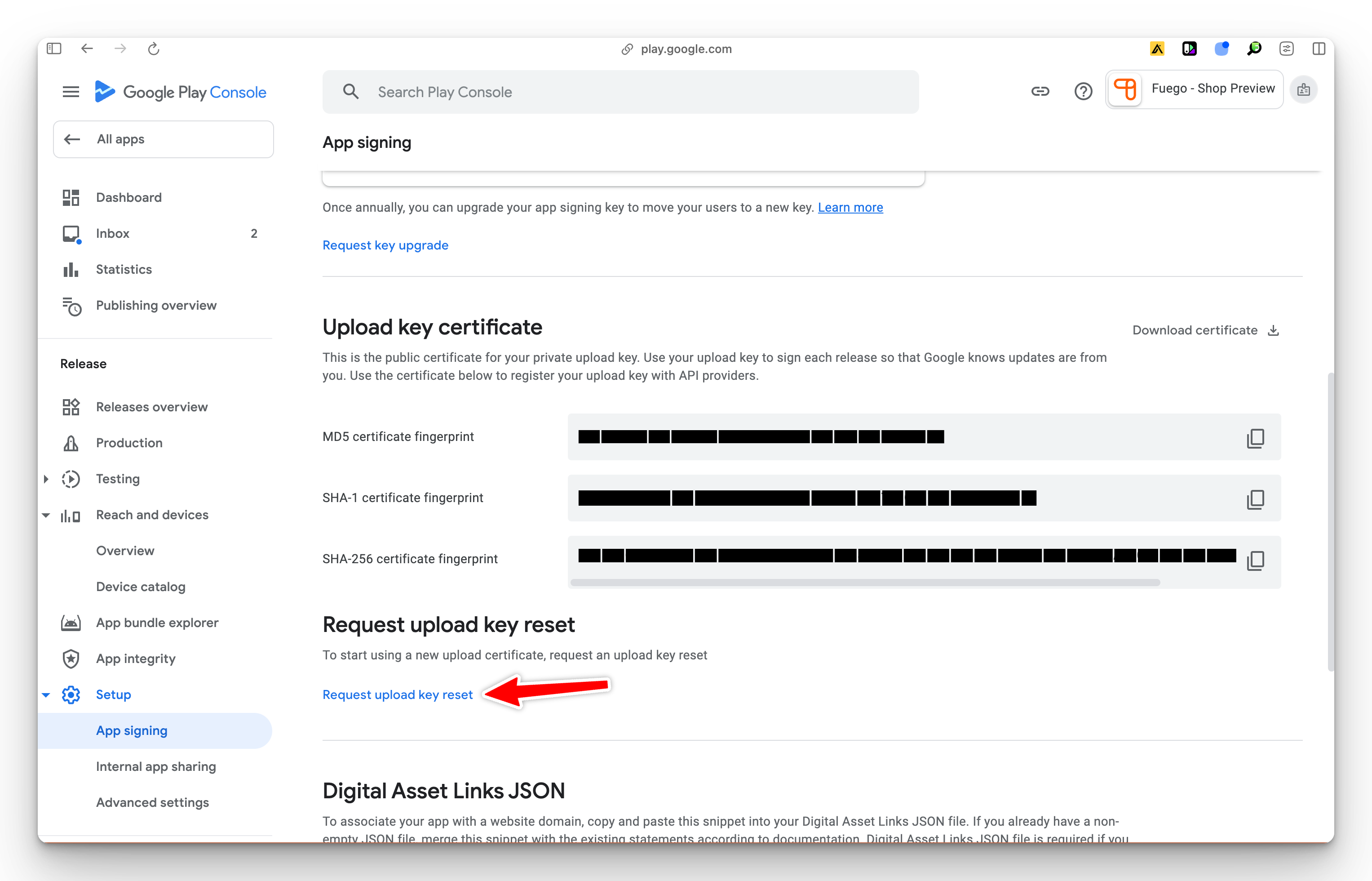
Step 5: Scroll down to "Upload key certificate" and click on "Request upload key reset"
Note: Please make sure you have scrolled down to the "Upload Key Certificate" section and are not in the "App Signing Key Certificate" section.
Step 6: Now select, "Developer with access to the keystore has left my company" and follow the instructions bellow.
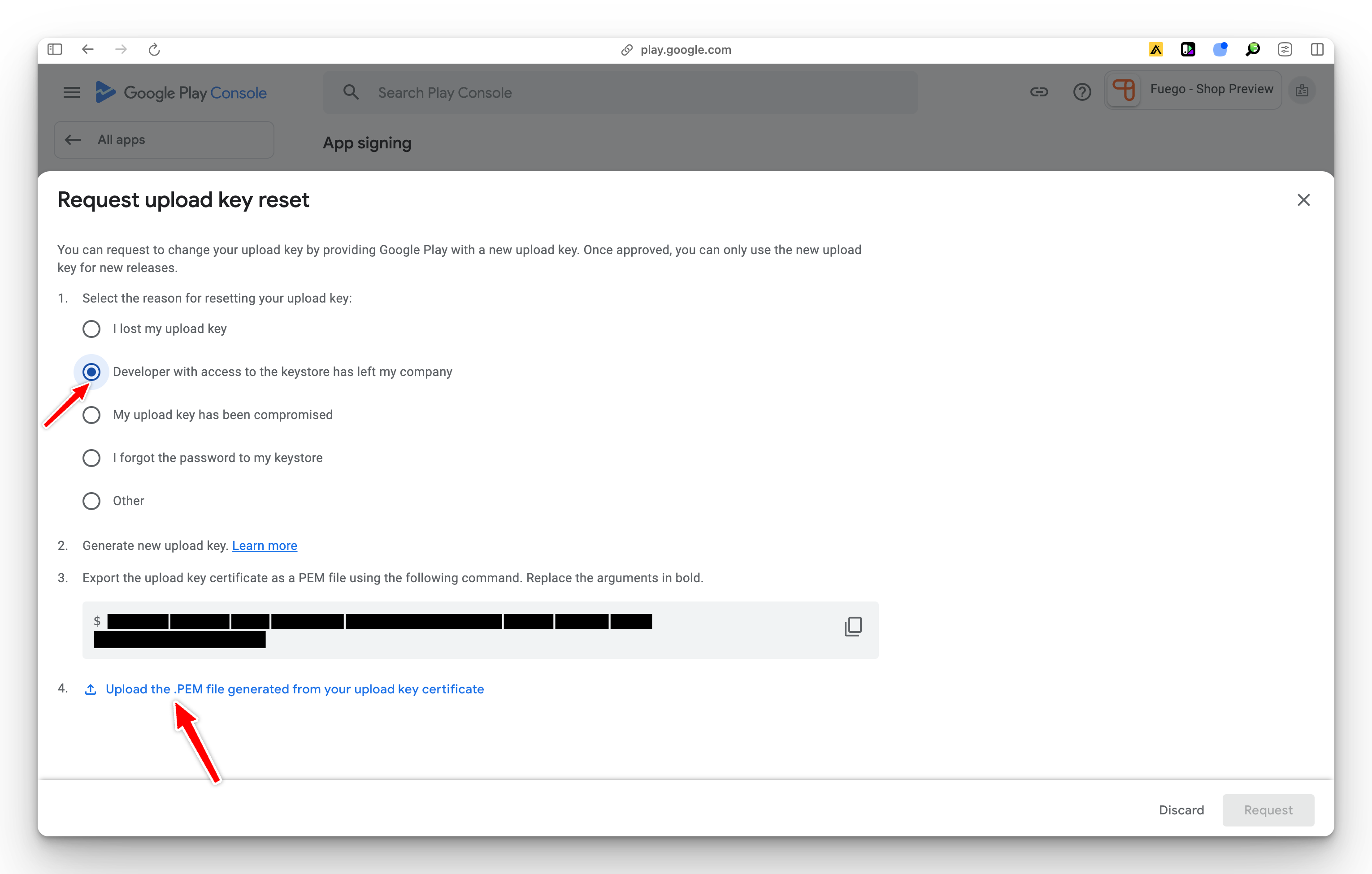
Step 7: At this stage please upload the secret .PEM file that was provided to you by FUEGO and click "Request".
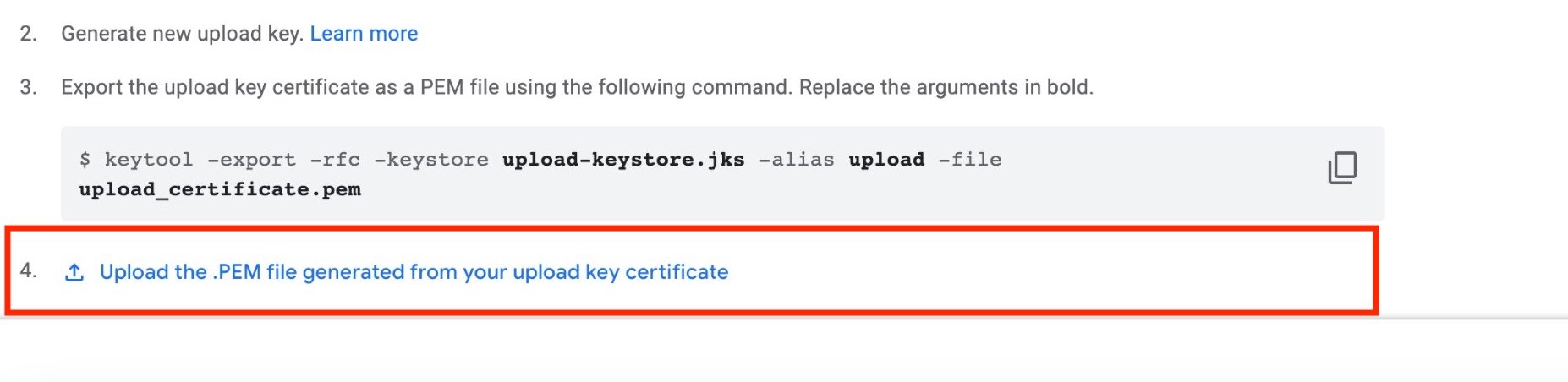
Done ✅. Once you have requested upload key reset it will take 48 hours for it to reset.