Best Practices for Push Notifications with Fuego
Last updated: July 8, 2026
Push notifications are one of the most powerful ways to drive repeat engagement and revenue in your mobile app. Because they appear directly on a customer’s device, they should feel timely, relevant, and valuable – not noisy.
This guide covers recommended best practices for using Fuego push notifications effectively.
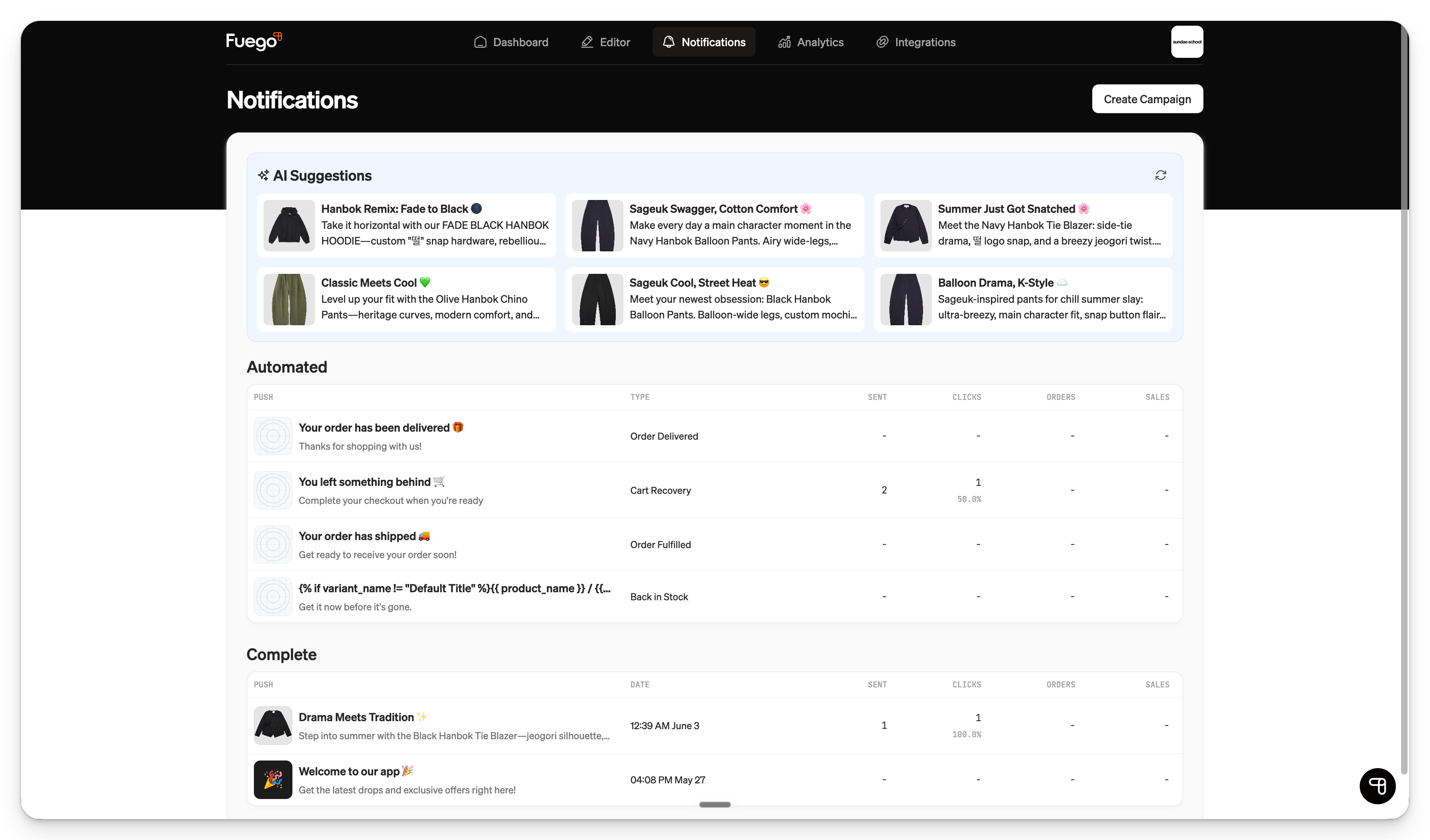
1. Send with a clear purpose
Every push notification should answer one question: why should the customer care right now?
Strong push use cases include:
New product launches
Limited-time sales
Back-in-stock alerts
App-exclusive offers
Early access drops
Low-stock or last-chance messaging
Order and transactional updates
Personalized recommendations
Loyalty or VIP reminders
Avoid sending pushes just to “stay top of mind.” If the notification does not offer value, it can lead to lower engagement or opt-outs over time.
2. Keep copy short and action-oriented
Customers often see only a small amount of push copy on their lock screen. Make the message easy to understand at a glance.
Recommended structure
Title: Short, attention-grabbing headline
Body: One clear reason to tap
Destination: Deep link to the relevant app screen, collection, or product
Example
Title: Your favorites are back
Body: Best-selling styles just restocked — shop before they sell out.
Tips
Lead with the benefit.
Use urgency only when it is real.
Avoid overly long sentences.
Make sure the linked destination matches the message.
Use brand voice, but prioritize clarity.
3. Target the right audience
Segmentation helps make pushes more relevant and reduces notification fatigue.
In Fuego, you can target or exclude segments based on available customer data, such as:
Customer tags
Purchase behavior
Country or region
City or region, if enabled
User properties collected in-app
Preference data, if you have an onboarding or preference flow
Important note about segmented sends
Segmented push notifications only go to signed-in customers who match the selected criteria. Customers who are not logged in will not receive segmented sends, even if they are push-enabled.
Because of this, segmented audience counts may be smaller than your total push-enabled user base.
4. Use exclusions to avoid over-messaging
Just as important as choosing who to target is choosing who not to target.
Common exclusions include:
Recent purchasers
Customers who already bought the promoted product
Active subscribers
VIP customers who should receive a different offer
Customers in regions where a promotion does not apply
For example, if you want to exclude customers who purchased in the last 7 days, make sure your segment also includes customers who have never purchased. A good structure is:
Last order date is before the cutoff date
ORTotal orders = 0
This prevents “never purchased” customers from being accidentally excluded.
5. Match timing to customer behavior
Push timing can significantly impact performance.
General timing recommendations
Send during waking hours in the customer’s local time zone when possible.
Avoid very early morning or late-night sends.
Test weekday versus weekend performance.
Align sale reminders with key moments, such as launch, midpoint, and final hours.
Avoid sending too many pushes in a short period unless there is a strong reason.
For global audiences, consider whether one send time makes sense for everyone or whether local-time delivery is more appropriate.
Note about local-time scheduled sends
If a push is scheduled by local time zone, it may begin sending in rolling waves as each time zone reaches the scheduled time. Once sending has started, it may no longer be editable or cancellable from the dashboard.
If you need to stop an in-progress local-time send, contact Fuego support.
6. Do not overuse urgency
Urgency works best when it is honest and specific.
Good urgency examples:
“Ends tonight”
“Only a few left”
“Final hours”
“Restocked today”
“Early access closes soon”
Avoid using urgent language for campaigns that are not truly time-sensitive. If every push says “last chance,” customers may stop believing it.
7. Deep link to the most relevant destination
The push should take customers exactly where they expect to go.
Examples:
Product launch push → specific product page or launch collection
Sale push → sale collection
Back-in-stock push → restocked product
Loyalty reminder → loyalty or rewards screen
App-exclusive offer → app-exclusive collection or landing page
Avoid sending customers to the homepage unless the message is broad and homepage content clearly supports the campaign.
8. Use automated notifications for high-intent moments
Automated pushes are especially valuable because they are triggered by customer behavior or store events.
Useful Fuego automation examples include:
Back-in-stock notifications
Fuego supports native back-in-stock notifications. When a product is out of stock, customers can tap Notify Me on the product page. Once the product is available again, Fuego can automatically notify customers who opted in.
A back-in-stock flow must be configured in the Fuego dashboard for these notifications to send.
Order confirmation notifications
Fuego also supports automated order confirmation notifications. These are configured under:
Push Notifications → Create Campaign → Automated → Order Received
This notification is not a manual campaign; it lives in the automated campaign section.
9. Be thoughtful with discounts
Discounts can drive strong engagement, but they should not be the only reason customers open the app.
Use a mix of:
Product storytelling
New arrivals
Limited drops
Personalized recommendations
Back-in-stock alerts
Loyalty benefits
App-exclusive experiences
Sale and discount messaging
Dynamic discount codes
Fuego push notifications do not natively generate unique, per-user discount codes. If you need unique dynamic codes in push notifications, you can use Klaviyo alongside Fuego for that use case.
10. Use app-exclusive messaging when possible
Push notifications are especially effective when customers feel there is a reason to open the app instead of browsing elsewhere.
Examples:
“App-only early access starts now”
“Exclusive in-app drop just launched”
“Unlock this offer in the app”
“VIPs get first access today”
If the customer has downloaded your app, reward that behavior with experiences or offers that feel exclusive.
11. Monitor performance over time
Use Fuego’s notification analytics to review performance and identify patterns.
Helpful metrics to monitor include:
Sends
Clicks
Revenue
Orders
Overall push opt-in percentage
Fuego also supports CSV export for push notification history from the Notifications analytics area.
Watch for fatigue
There is not currently a per-campaign push opt-out report. To understand whether customers may be getting too many notifications, monitor your overall push opt-in percentage over time.
If opt-in rate drops after increasing send frequency, that may be a sign that customers are receiving too many pushes or that the content is not relevant enough.
12. Test and learn
The best push strategy depends on your brand, audience, and product cycle. Test different approaches and compare performance.
Things to test:
Send time
Day of week
Copy length
Emoji usage
Discount versus non-discount messaging
Product-focused versus collection-focused pushes
Broad sends versus segmented sends
Urgent language versus benefit-led language
Keep a record of what works so your strategy improves over time.
13. Recommended push frequency
There is no universal perfect frequency, but as a general guideline:
1–3 pushes per week works well for many brands.
Higher frequency may be appropriate during major launches, sales, or seasonal moments.
Lower frequency may be better for luxury, considered-purchase, or high-AOV brands.
The key is consistency and relevance. A highly relevant push several times a week can perform well, while irrelevant pushes once a week can still cause fatigue.
14. Pre-send checklist
Before sending a push notification, confirm:
The message is clear and valuable.
The audience is correct.
Any exclusions are applied.
The send time is appropriate.
The destination link opens the right product, collection, or screen.
The promotion is active.
Inventory is available, if promoting specific products.
The copy is free of typos.
The campaign does not conflict with email, SMS, or other pushes.
Time-sensitive language is accurate.
Summary
The best Fuego push notifications are timely, targeted, and useful. Focus on sending messages customers actually want to receive: launches, restocks, exclusive offers, reminders, and personalized updates.
Use segmentation when appropriate, avoid over-sending, deep link to the right destination, and review performance regularly. Over time, your push strategy should become a reliable channel for increasing app engagement, repeat purchases, and customer retention.