How to Renew Apple Developer Program Membership
Last updated: July 10, 2026
Renewing your Apple Developer Program membership keeps your account active and ensures continued access to Apple Developer services, App Store Connect, app distribution, and updates. Renewing on time helps prevent interruptions to your apps and developer account.
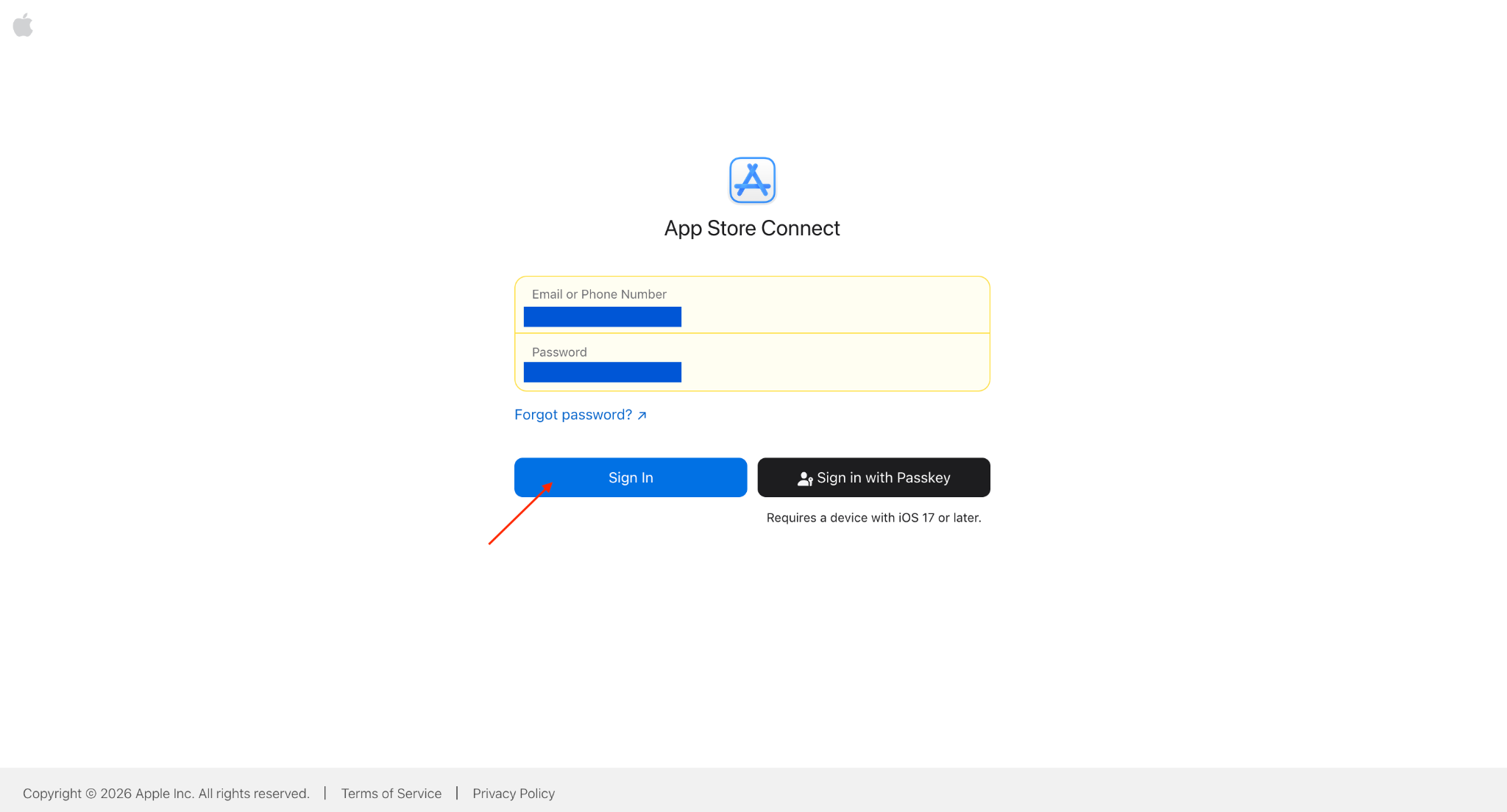
Step 1: Sign in to App Store Connect
Sign in using the Account Holder Apple ID.
Step 2: Check Membership Status
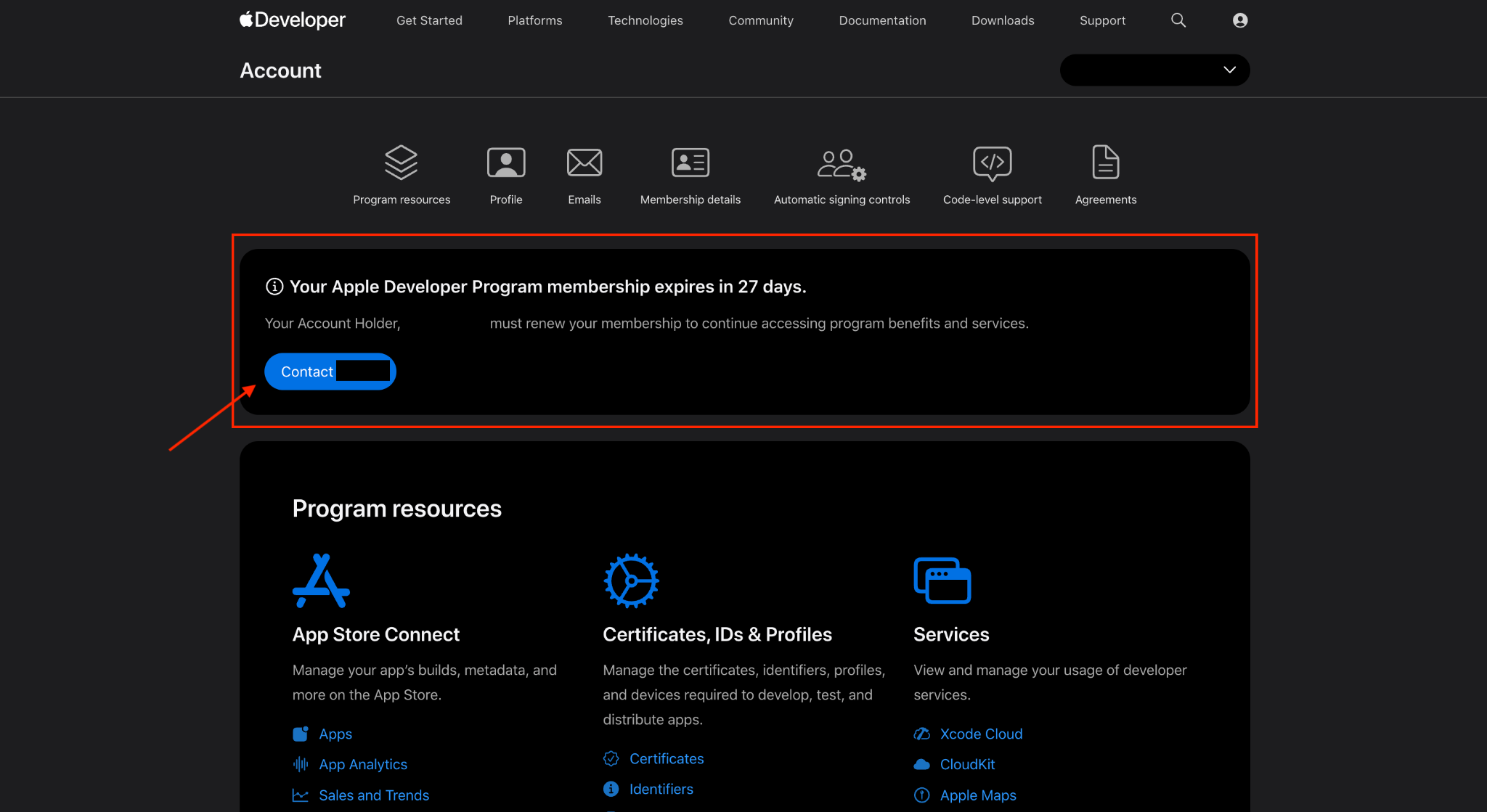
After signing in, check for any banner or notification indicating that the membership is approaching its expiration date.
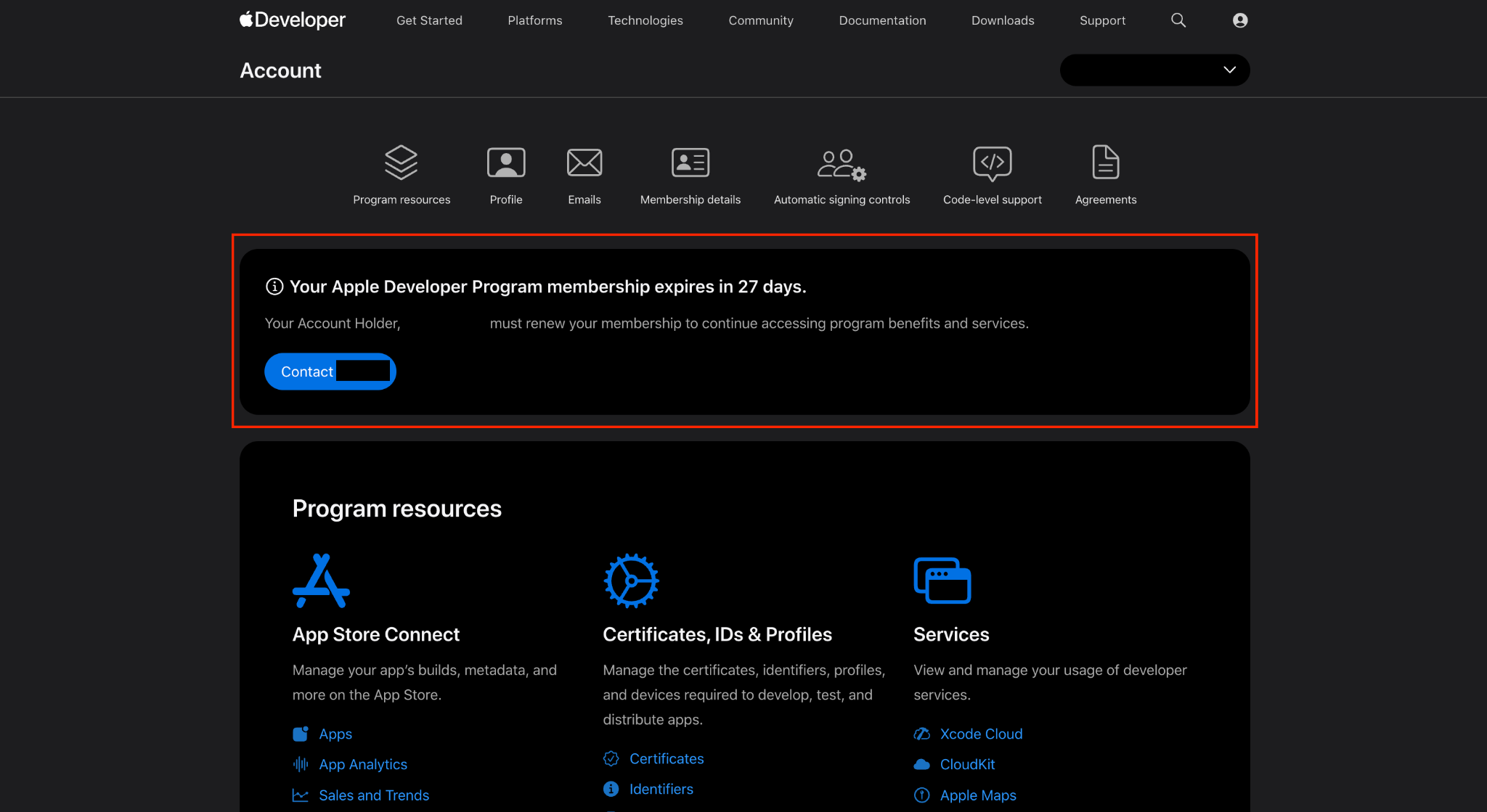
If you are the Account Holder, you will see a Renew Membership button when the renewal option is available.
Follow the instructions provided by Apple.