How to Review and Accept the Updated Paid Apps Agreement in App Store Connect
Last updated: July 10, 2026
A guide to reviewing and accepting the updated Paid Apps Agreement in App Store Connect, ensuring you can continue managing paid apps, subscriptions, in-app purchases, and payment features.
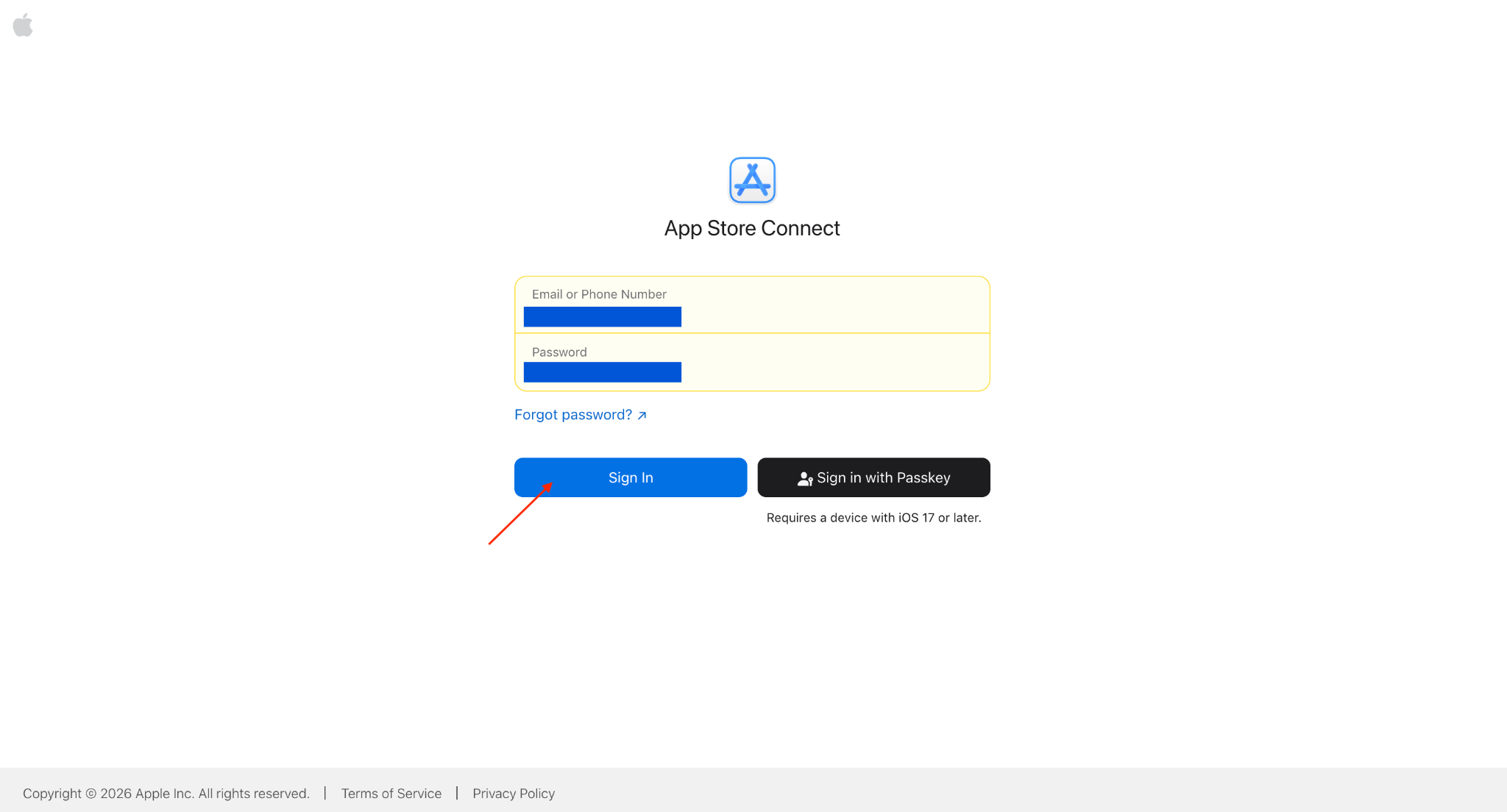
Step 1: Log in to App Store Connect
Sign in using your Account Holder Apple Account.
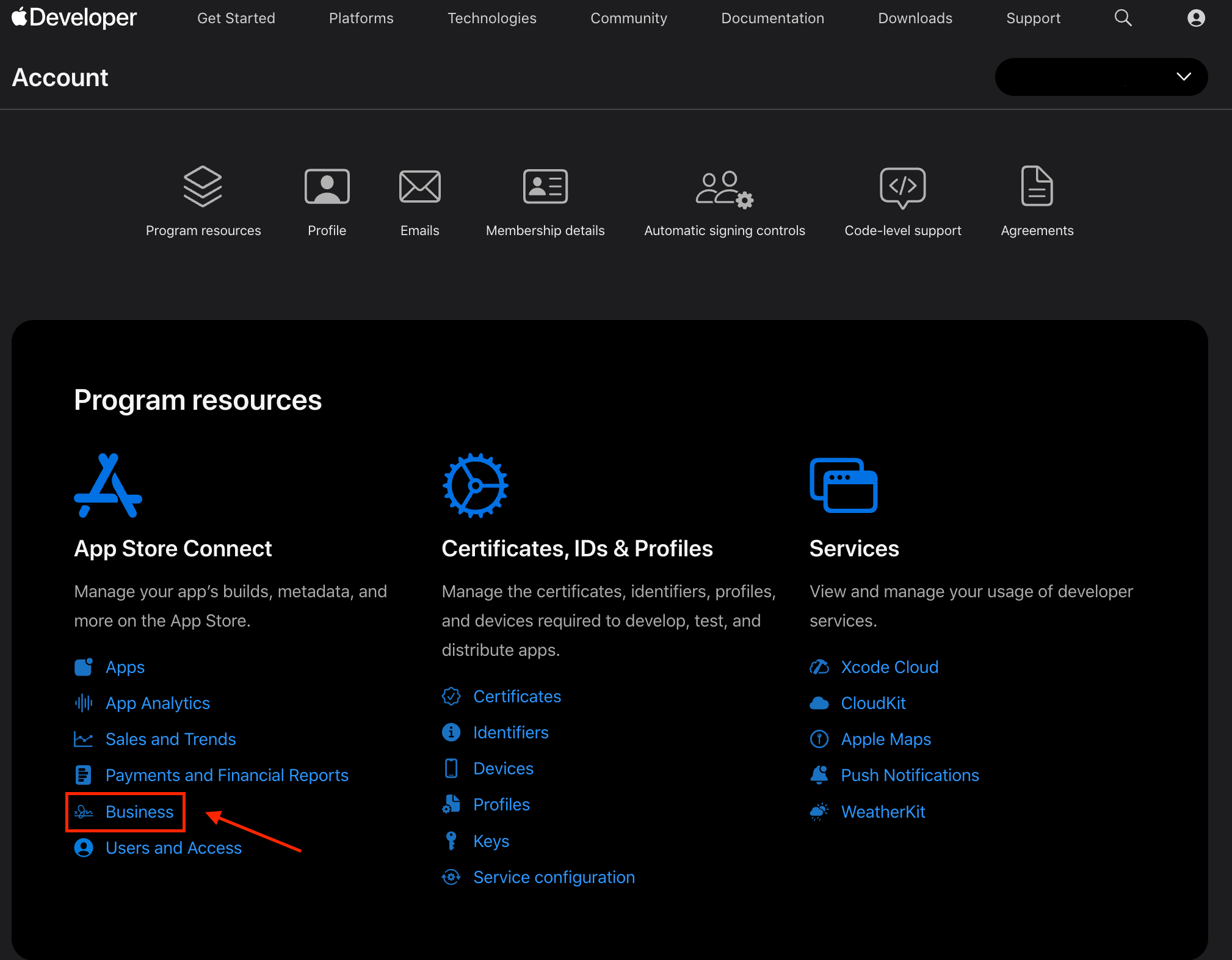
Step 2: Open Agreements
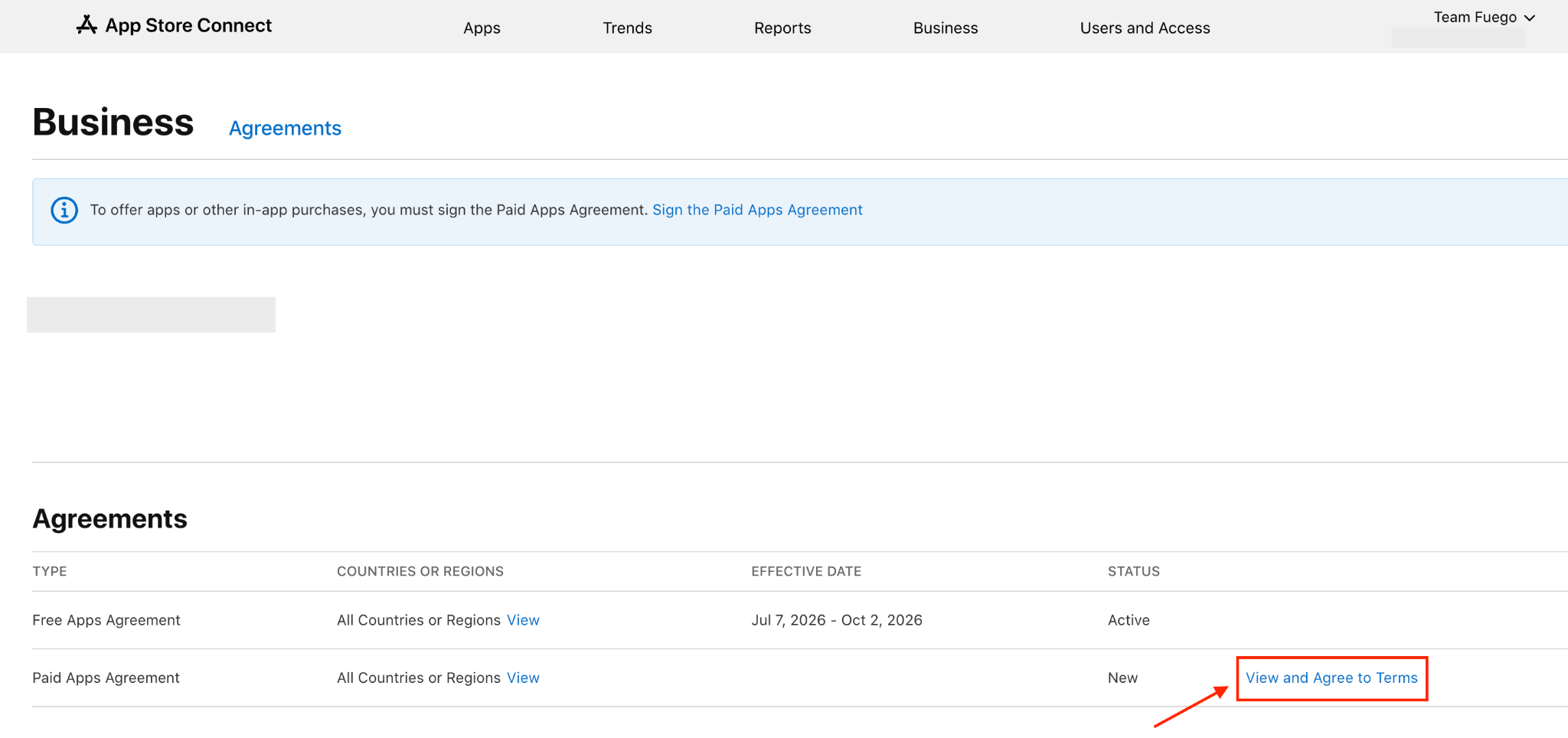
From the App Store Connect dashboard, click Business.
Step 3: Find the Paid Apps Agreement
Look for the Paid Apps Agreement.
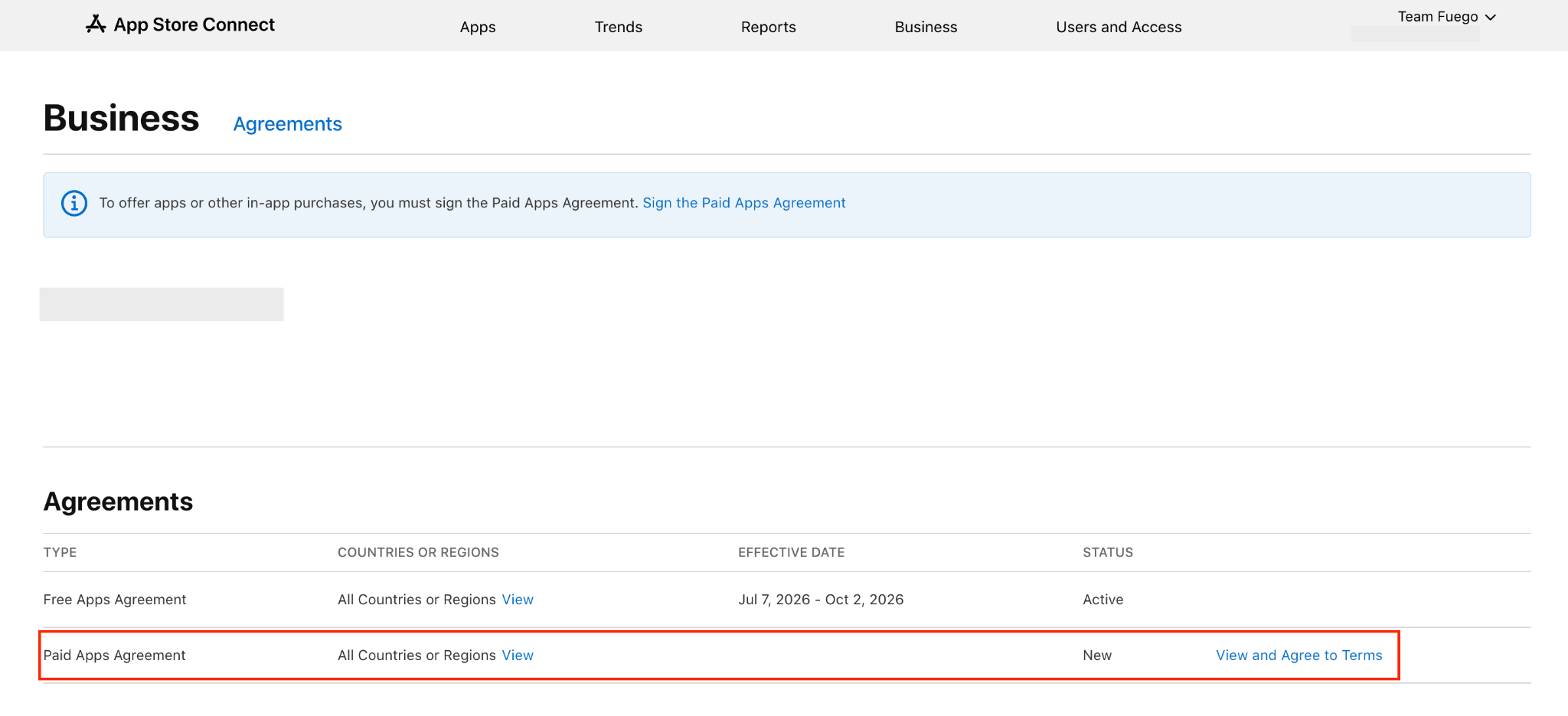
Click View and Agree to Terms.
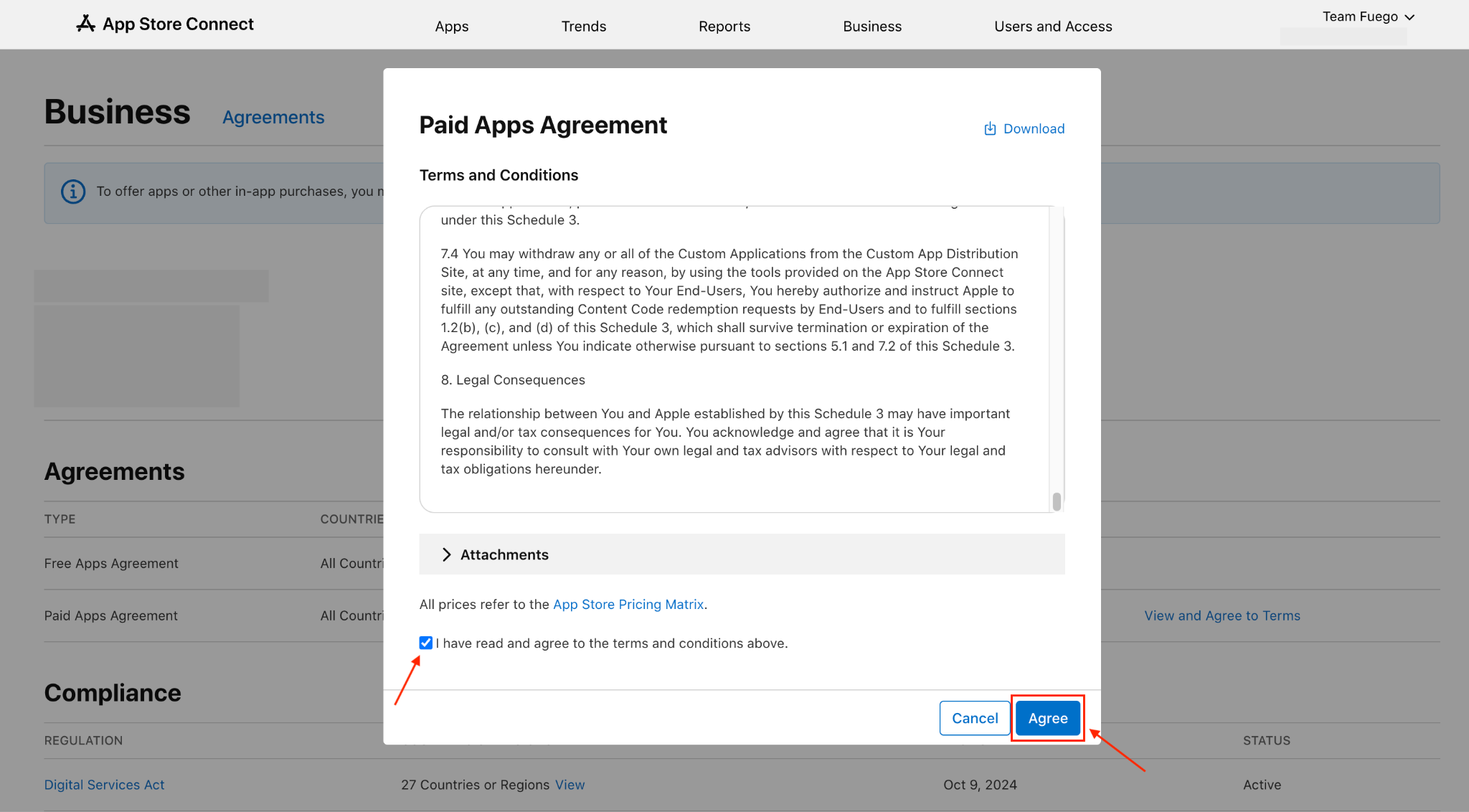
Step 4: Review and Accept the Agreement
Read the agreement details.
Confirm that you agree to Apple’s terms.
Click Agree to accept the agreement.